Does your business sell products?
Have you considered setting up a shop on Facebook?
Facebook allows you to add a Shop section to your Facebook page so customers can buy your products directly from Facebook.
In this article you’ll discover how to add a Shop section to your Facebook page.
Check if You Have Access to the Shop Section
To find out if you have access to the Shop Section feature on your Facebook page, visit your page and look for the Add Shop Section link below your Facebook page cover photo.
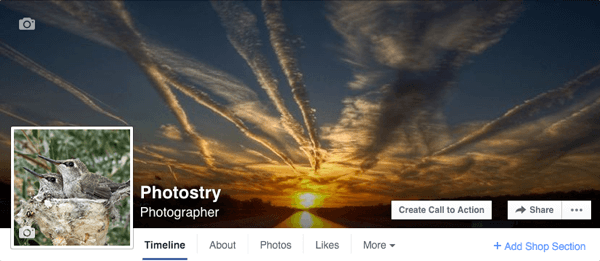
Look for the Add Shop Section link below your cover photo.
You can see Shop sections in action on Facebook pages such as American Kennel Club, Basics Products, The Awkward Yeti, ARDO USA, and Snow Lizard Products. Snow Lizard Products is powered by Shopify, so you can compare it to the others to get a feel for the difference between shops powered by Facebook versus those powered by ecommerce solution providers.
#1: Click the Add Shop Section Link
Clicking the Add Shop Section link brings up a prompt explaining what this section will allow


